Construction inspection, made accountable

Inspect the work.Prove the result.

Inspectr+ gives architects, engineers, inspectors, and builders one field-ready workspace for projects, photo-backed issues, punch lists, and professional reports.

iPhone in the fieldiPad for reviewWeb at your desk
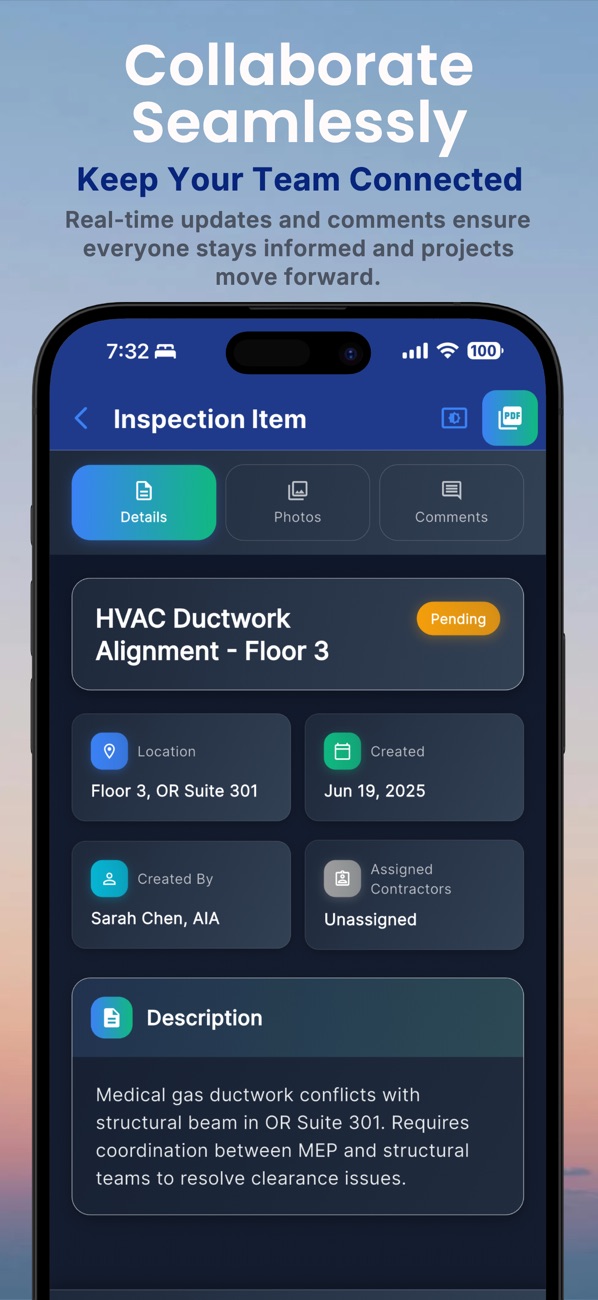
Inspectr+ inspection item workflow
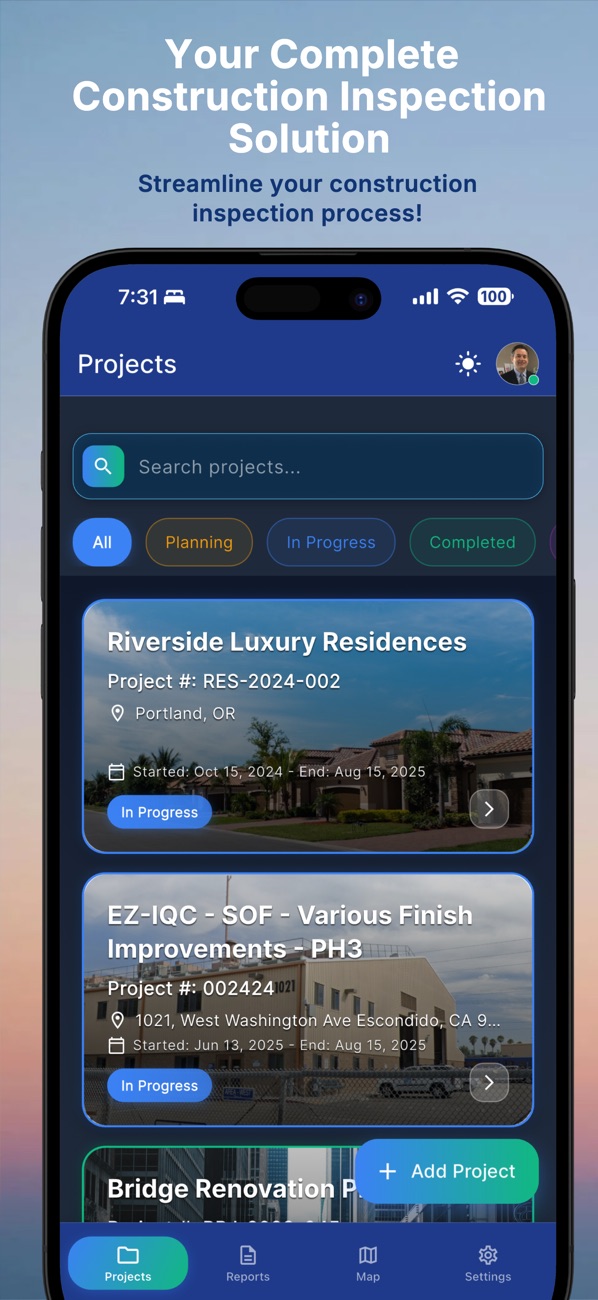
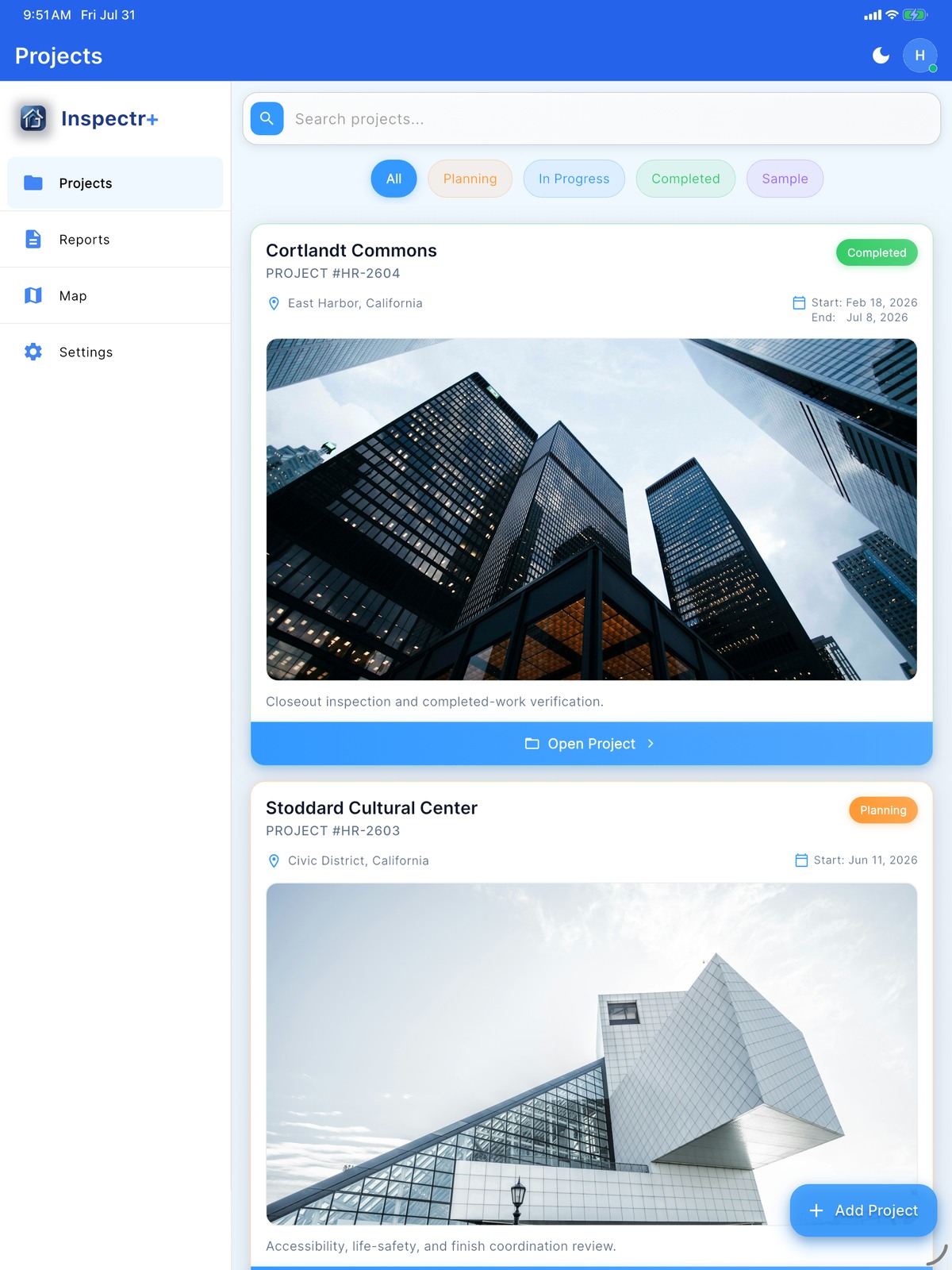
Inspectr+ project list
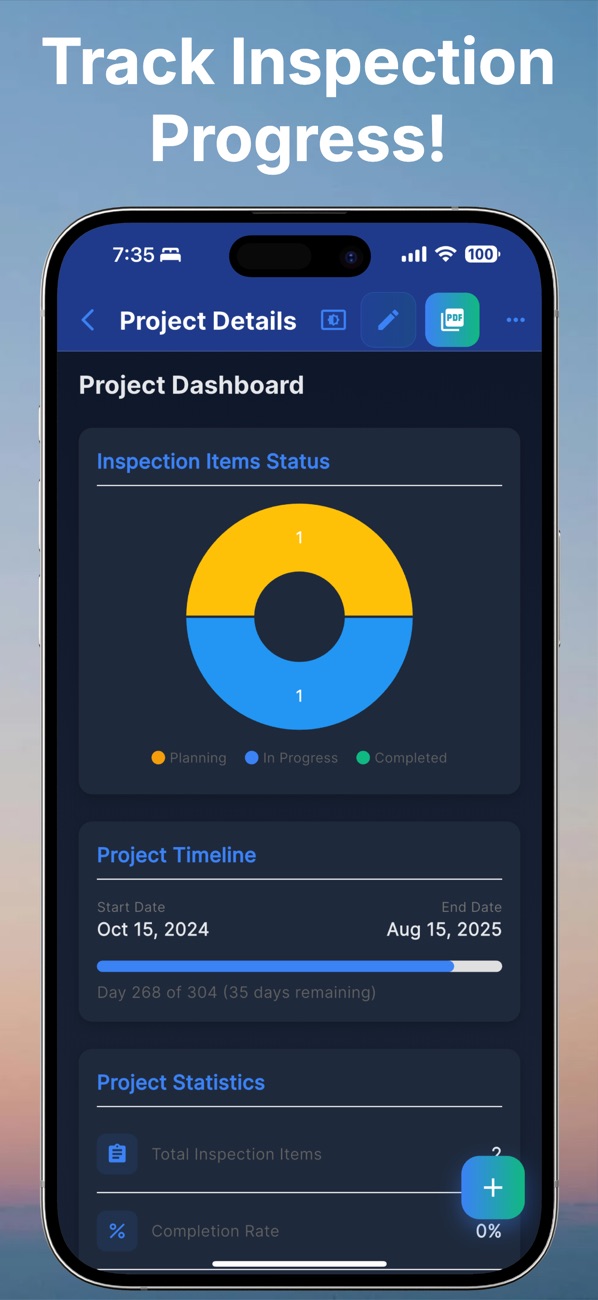
Inspectr+ project progress dashboard

The inspection problem

Evidence loses value when it loses context.

Photos sit in camera rolls. Notes lose their location. Punch items drift between conversations. Inspectr+ binds the condition, place, priority, responsibility, progress, and final record together.

Built for the way inspections move

One inspection practice. Three useful workspaces.

Use the device that fits the moment: mobile capture during the walk, a wider native review surface on iPad, and desktop-scale access in the browser.

01 / iPhone

Capture on site.

Keep the camera, location, notes, priority, responsibility, and item status in one field-first workflow during the inspection walk.

  • Photo-backed observations
  • Offline-capable field workflow
  • Fast project and punch-list access
Field capture
Inspectr+ inspection item on iPhone
02 / iPad

Review the whole project.

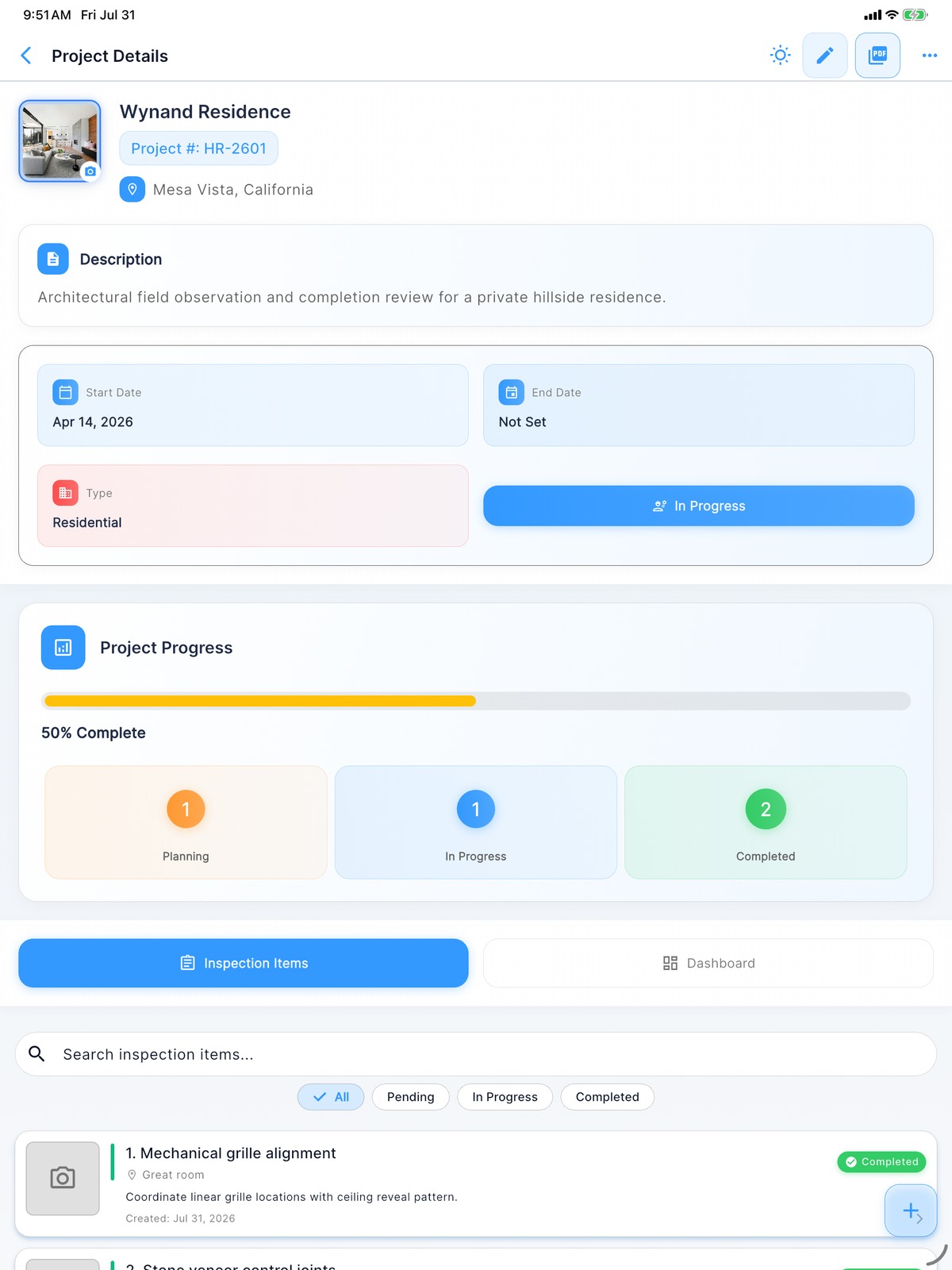
The genuine native iPad layout expands project context, progress, inspection items, filters, and reporting controls across a larger working surface.

  • Native iPad interface
  • Expanded project and progress views
  • Inspection and reporting workflows
Native iPad workspace
Inspectr+ project details and inspection progress on iPad
Inspectr+ project portfolio with sidebar navigation on iPad
03 / Desktop web

Manage from the browser.

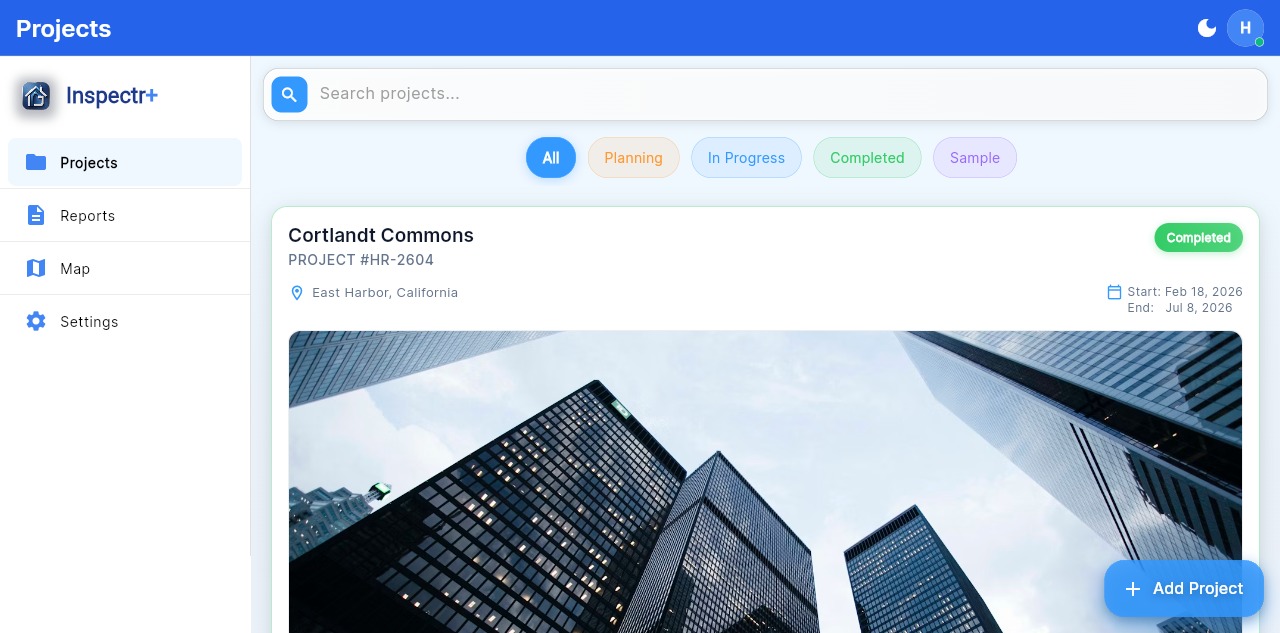
The authenticated web workspace brings project navigation, search, filters, reports, and inspection management to a desktop-scale canvas—without a desktop installation.


  • Responsive browser workspace
  • Project and report access
  • Desktop-scale navigation and review
Open Inspectr+ on the web
Authenticated web workspace
app.inspectrplus.com
Inspectr+ authenticated project workspace in a desktop browser

A complete field-to-report path

From observation to issued record.

01

Set the project context

Create the project, define its location and type, and give every field observation the right home from the start.

02

Capture the condition

Record the issue while you are standing in front of it—with photos, location, description, priority, and responsible party.

03

Drive the work to closure

Organize open items, status, comments, and project progress without rebuilding the inspection from scattered notes.

04

Issue a professional record

Generate a polished PDF report that carries the project context, observations, photographs, and current status forward.

The project story in your pocket

Every screen answers a field question.

What project am I in? What did I observe? Who owns the next action? What remains open? What must the final report prove?

Projects in Inspectr+

Projects

Keep every inspection in context.

Move between active projects without losing the location, project identity, or current inspection status.

Inspection item in Inspectr+

Inspection item

Make the observation defensible.

Attach the condition, location, date, assignee, priority, photos, and discussion to one traceable field item.

Project progress in Inspectr+

Project progress

See what remains unresolved.

A focused project dashboard turns item status and completion into a clear picture of where attention belongs.

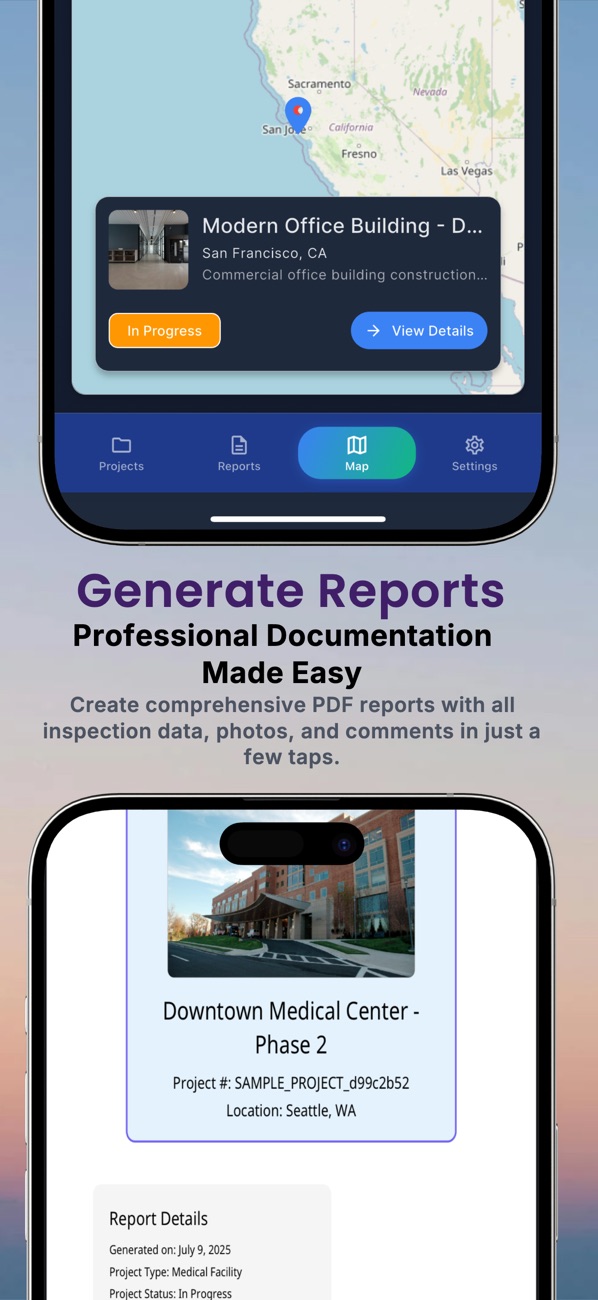
PDF reporting in Inspectr+

PDF reporting

Deliver evidence, not a photo dump.

Generate a professional record that brings project information, field observations, and photographs into one coherent report.

Built by Lab Architect for construction professionals.

No advertisingNo cross-company trackingNo sale of user data
Inspectr+ app icon

See it. Record it. Resolve it.

Give field evidence the structure it deserves.

Download Inspectr+ for iPhone and iPad, or open the web workspace from your desktop.

Free to download. Subscription options are available in the app.